-
Shop
- Adidas
- Advanced Technologies
- AI Skills
- AI Skills Mastery 2026 Collection
- Bathroom
- Best-Sellers
- Calvin Klein
- Car Accessories
- Confidence
- Dating & Social Skills
- Digital Resources
- AI & Technology
- Beauty
- Car Buying & Ownership
- Cozy Feast Collection
- Electronics & Technology
- Financial Education
- Hobbies
- Home Styling & Organization
- Kitchen & Recipes
- Mindset
- Online Business
- Parenting & Child Development
- Personal Style & Fashion
- Pet Lifestyle & Wellness
- Smart Life with AI
- Travel Planning
- Wellness
- Yoga & Fitness
- Education & Learning
- Family & Parenting
- Fashion
- Alexander McQueen
- Bags
- Bags & Wallets
- Balenciaga
- Belts
- Blazers
- Blouses & Shirts
- Bottega Veneta
- Brunello Cucinelli
- Burberry
- Chanel
- Chloé
- Dior
- Dolce & Gabbana
- Dresses
- Etro
- Fendi
- Gucci
- Hats & Hair Accessories
- Jacquemus
- Jewelry
- Jil Sander
- Keychains
- Kiton
- Luggage
- Luggage Bags
- Miu Miu
- Off-White
- Outerwear
- Prada
- Rick Owens
- Saint Laurent
- Scarves
- Shoes
- Socks & Tights
- Sunglasses
- The Row
- Tom Ford
- Valentino
- Valentino Garavani
- Versace
- Vivienne Westwood
- Watches
- Fashion Accessories
- Furniture
- Gadgets
- Health & Beauty
- Health & Wellness
- Home & Garden
- Home Decor
- Home Electronics
- Home Supplies
- Kids & Babies
- Kitchen
- Kitchen Best-Sellers
- Lighting
- Online Business for Beginners
- Patio, Lawn & Garden
- Personal Growth
- Pet Care
- Pet Supplies
- Pets
- Smart Amazon Shopping
- Smart Home Living Guides
- Sport & Outdoors
- Stress Relief & Relaxation
- Super Deals
- TikTok Growth & Monetization Mastery
- Travel
- Travel & Adventure
- Wealth
- Wealth Building
- Budgeting & Saving
- Cryptocurrency Investing
- Debt Management
- Entrepreneurship & Business Growth
- Family Finance & Budgeting
- Financial Independence
- Financial Mindset & Psychology
- Financial Planning
- Frugal Living & Expense Hacks
- Goal Setting
- High-Income Skills
- Investing Basics
- Leadership
- Motivation
- Networking & Mentorship
- Passive Income Strategies
- Real Estate Investing
- Side Hustles
- Stock Market Investing
- Popular
- Best deals
- Blog
Free AI Budget Planner: What You Get & How to Set One Up

Is there a free AI budget planner?
Yes—there are free AI budget planner options, but “free” usually comes with limits. Many tools offer a no-cost tier that can categorize transactions, suggest spending targets, and flag unusual charges. The trade-off is often capped bank connections, fewer automation rules, limited reports, or a smaller number of monthly scans and alerts.
A practical way to get a free AI-style budget planner experience is to combine tools you may already have: a free spreadsheet template plus free AI assistance for categorization rules, budget category setup, and quick “what changed?” summaries. This approach works especially well for families and shared budgets because you can control the categories, customize how income is split, and keep everything transparent.
What to look for in a truly useful free option
1) Automation that saves real time
Free tools vary widely. The most helpful ones automatically sort spending, learn merchant patterns (like recurring subscriptions), and create simple insights such as “grocery spending is trending higher than last month.” If the “AI” doesn’t reduce manual cleanup, it’s not doing much.
2) Clear guardrails, not just tracking
Tracking is only step one. A budget planner should help set guardrails—category targets, bills first, and realistic weekly spending caps—so you can act before money feels tight.
3) Privacy and data controls
If a free app connects to your accounts, scan its data policy and security options. Some free tiers are funded by ads or partner offers, so it’s smart to understand how your data may be used.
A quick, low-cost way to set one up
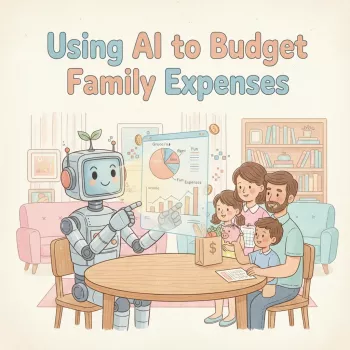
If you want a straightforward setup that feels “AI-powered” without paying upfront, follow this step-by-step walkthrough: AI Family Budgeting Setup in 60 Minutes. It focuses on getting a working system fast—categories, rules, and review habits—so the budget stays usable after the first week.
FAQ
Do AI budget planners connect to bank accounts safely?
Many use read-only connections through established aggregators and support encryption, but safety depends on the specific provider. Use strong passwords, enable multi-factor authentication, and review the app’s privacy policy before linking accounts.
Recommended for you


Choosing the Right Ballet Dancer Figurine Size
Jun 11, 2026













Leave a comment