-
Shop
- Adidas
- Advanced Technologies
- AI Skills
- AI Skills Mastery 2026 Collection
- Bathroom
- Best-Sellers
- Calvin Klein
- Car Accessories
- Confidence
- Dating & Social Skills
- Digital Resources
- AI & Technology
- Beauty
- Car Buying & Ownership
- Cozy Feast Collection
- Electronics & Technology
- Financial Education
- Hobbies
- Home Styling & Organization
- Kitchen & Recipes
- Mindset
- Online Business
- Parenting & Child Development
- Personal Style & Fashion
- Pet Lifestyle & Wellness
- Smart Life with AI
- Travel Planning
- Wellness
- Yoga & Fitness
- Education & Learning
- Family & Parenting
- Fashion
- Alexander McQueen
- Bags
- Bags & Wallets
- Balenciaga
- Belts
- Blazers
- Blouses & Shirts
- Bottega Veneta
- Brunello Cucinelli
- Burberry
- Chanel
- Chloé
- Dior
- Dolce & Gabbana
- Dresses
- Etro
- Fendi
- Gucci
- Hats & Hair Accessories
- Jacquemus
- Jewelry
- Jil Sander
- Keychains
- Kiton
- Luggage
- Luggage Bags
- Miu Miu
- Off-White
- Outerwear
- Prada
- Rick Owens
- Saint Laurent
- Scarves
- Shoes
- Socks & Tights
- Sunglasses
- The Row
- Tom Ford
- Valentino
- Valentino Garavani
- Versace
- Vivienne Westwood
- Watches
- Fashion Accessories
- Furniture
- Gadgets
- Health & Beauty
- Health & Wellness
- Home & Garden
- Home Decor
- Home Electronics
- Home Supplies
- Kids & Babies
- Kitchen
- Kitchen Best-Sellers
- Lighting
- Online Business for Beginners
- Patio, Lawn & Garden
- Personal Growth
- Pet Care
- Pet Supplies
- Pets
- Smart Amazon Shopping
- Smart Home Living Guides
- Sport & Outdoors
- Stress Relief & Relaxation
- Super Deals
- TikTok Growth & Monetization Mastery
- Travel
- Travel & Adventure
- Wealth
- Wealth Building
- Budgeting & Saving
- Cryptocurrency Investing
- Debt Management
- Entrepreneurship & Business Growth
- Family Finance & Budgeting
- Financial Independence
- Financial Mindset & Psychology
- Financial Planning
- Frugal Living & Expense Hacks
- Goal Setting
- High-Income Skills
- Investing Basics
- Leadership
- Motivation
- Networking & Mentorship
- Passive Income Strategies
- Real Estate Investing
- Side Hustles
- Stock Market Investing
- Popular
- Best deals
- Blog
Ultra-Light 8KHz Wireless Gaming Mouse: Smooth Aim
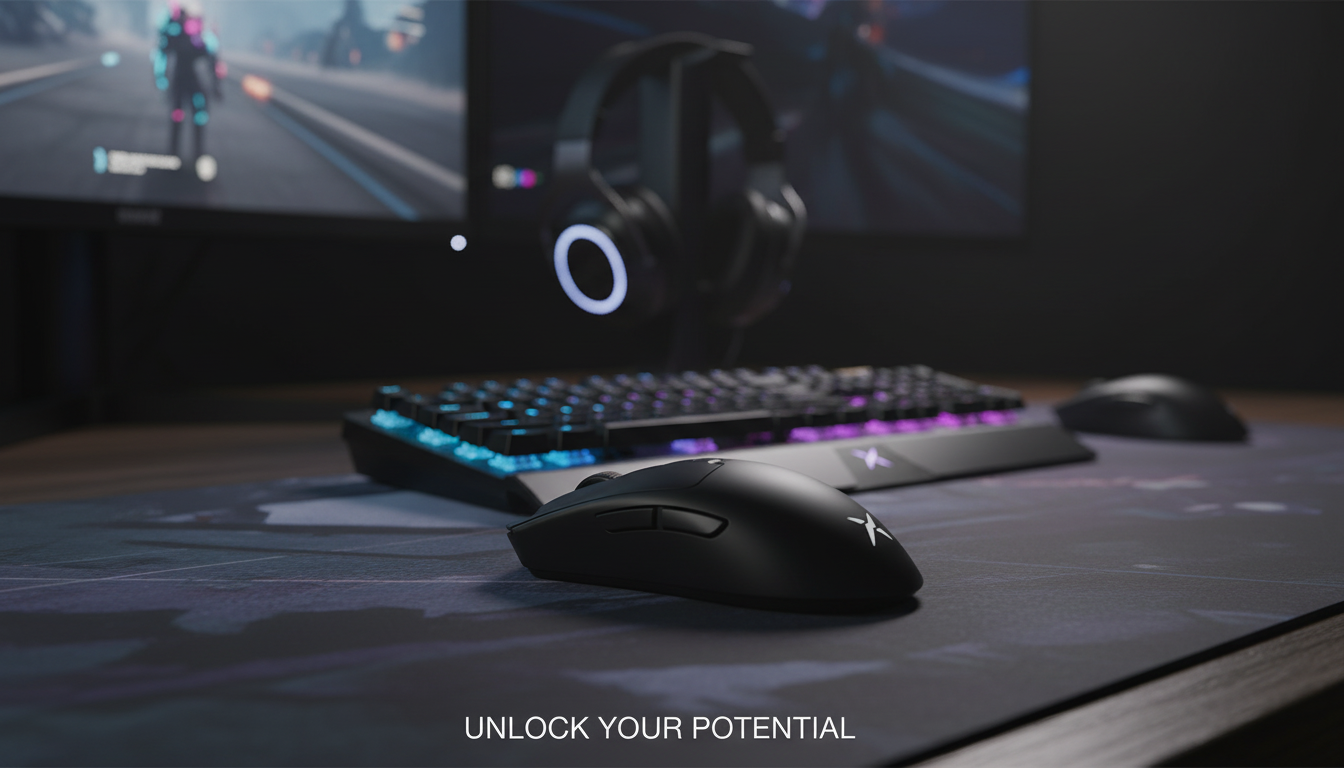
Ultra Lightweight Wireless Gaming Mouse 8KHz: Speed, Control, and Comfort for Competitive Play
An ultra lightweight wireless mouse with an 8KHz polling rate is built for fast aim corrections, lower input delay, and reduced fatigue during long sessions. This guide breaks down what 8KHz changes in real use, what to check for compatibility, and who benefits most from a high-polling, low-weight wireless setup.
What 8KHz Means on a Wireless Gaming Mouse
Polling rate is how often your mouse reports its position to your PC. At 8KHz, the mouse can send up to 8,000 updates per second, tightening the timing between movement and on-screen response. In practice, that can translate to a cleaner “connected” feel during fast flicks and tiny micro-adjustments—especially on higher-refresh displays where the screen is capable of showing more frequent cursor updates.
That said, the real-world benefit depends on your whole chain: PC performance, game engine behavior, and whether the wireless link remains stable at high report rates. Some systems may need quick tuning (changing USB ports, updating firmware, or stepping down polling rate) if you see stutter or inconsistent tracking.
| Polling rate | Report interval (approx.) | What it can feel like |
|---|---|---|
| 1000Hz | 1.0 ms | Responsive baseline for most competitive play |
| 2000Hz | 0.5 ms | Smoother tracking on high-refresh monitors for some users |
| 4000Hz | 0.25 ms | More consistent cursor updates; may increase CPU/USB load |
| 8000Hz | 0.125 ms | Maximum update cadence; best when system and wireless link are optimized |
Why Ultra Lightweight Matters
Polling rate gets a lot of attention, but weight is often what you feel first. A lower-weight mouse can reduce wrist and forearm fatigue during long ranked sessions, aim training, and repetitive practice routines. It also tends to improve “stop-and-go” control: accelerating into a flick and decelerating into the final correction can feel easier when the mouse requires less force to move.
Lightweight designs also pair well with low-sensitivity setups because wide arm movements demand less effort. Still, comfort is more than a number on a spec sheet. The right shape for your hand size and grip style (palm, claw, or fingertip) matters just as much as weight—sometimes more—because a stable grip supports consistent aim under pressure.
Wireless Performance: Stability, Latency, and Interference
For competitive play, a stable 2.4GHz wireless connection is typically preferred over Bluetooth because it’s designed for lower and more consistent latency. To keep the wireless link clean—especially at higher polling rates—receiver placement is a big deal. Plug the receiver into a front USB port or use an extension/dongle dock to position it closer to the mouse and away from interference sources.
Common troublemakers include congested USB hubs, dense cable clusters, nearby Wi‑Fi routers, and USB 3.0 ports/devices that can introduce electrical noise. If you notice micro-stutter at 8KHz, treat it like a quick diagnostic checklist: try a different USB port, update firmware, and temporarily step down to 4KHz or 2KHz to confirm whether the issue is link stability or system overhead.
System Requirements and Settings That Affect 8KHz
Running at 8KHz can increase CPU overhead and USB interrupt handling. Stronger CPUs generally cope better, especially when you’re also pushing high FPS. High-refresh monitors (144Hz, 240Hz, 360Hz) can make differences in update cadence more noticeable than 60Hz displays, simply because there are more frames per second available to show those finer input updates.
Frame rate stability matters too. If your FPS is swinging heavily, the benefit of ultra-high polling can be masked by inconsistent frame pacing. Finally, keep DPI and sensitivity consistent while testing. Extremely high DPI can amplify hand jitter and surface noise regardless of polling rate, so it’s usually better to choose a sensible DPI and fine-tune in-game sensitivity rather than cranking DPI to the max.
For deeper background on how input devices communicate with PCs and how end-to-end latency is discussed in gaming contexts, see the USB HID overview at usb.org and NVIDIA’s latency concepts at NVIDIA Reflex.
Ultra Lightweight Wireless Gaming Mouse 8KHz: Quick Overview
If the goal is a fast, uncluttered setup, an ultra lightweight wireless mouse with an 8KHz option is built for quick corrections and minimal drag. It’s a strong match for fast-paced shooters and aim trainers, where small timing improvements and smoother updates can support more consistent tracking.
| Item | Details |
|---|---|
| Name | Ultra Lightweight Wireless Gaming Mouse 8KHz |
| Price | $88.01 |
| Availability | In stock |
Who Should Choose 8KHz vs. Lower Polling Rates
8KHz is most relevant for competitive players who already run high FPS and high refresh rates and want the lowest possible input delay. If you’re practicing precision-heavy mechanics—rapid target switches, recoil control, and micro-corrections—8KHz can feel tighter when your system and wireless connection are optimized.
More In-Stock Picks on Wink Plaza
- The No-Phone Morning Ritual Checklist: Reset Your Mind Before You Scroll (Digital Download)
- Elegant Ceramic Dress Form Vase – Abstract Fashion Sculpture Home Decor
FAQ
How many Hz should a gaming mouse be?
1000Hz is a dependable default for most players and systems. Moving to 2000/4000/8000Hz can feel smoother on high-refresh monitors with stable high FPS, but if you notice stutter or instability, lowering Hz is often the fastest fix while keeping gameplay consistent.
What is the no. 1 best gaming mouse?
There isn’t one universal best because hand size, grip style, shape comfort, weight preference, sensor performance, click feel, and game type all change what works. The best choice is the one that fits your grip securely and tracks consistently at your preferred sensitivity without causing fatigue.
Recommended for you


What “Speak Up” Really Means (And How to Respond)
May 23, 2026













Leave a comment