-
Shop
- Adidas
- Advanced Technologies
- AI Skills
- AI Skills Mastery 2026 Collection
- Bathroom
- Best-Sellers
- Calvin Klein
- Car Accessories
- Confidence
- Dating & Social Skills
- Digital Resources
- AI & Technology
- Beauty
- Car Buying & Ownership
- Cozy Feast Collection
- Electronics & Technology
- Financial Education
- Hobbies
- Home Styling & Organization
- Kitchen & Recipes
- Mindset
- Online Business
- Parenting & Child Development
- Personal Style & Fashion
- Pet Lifestyle & Wellness
- Smart Life with AI
- Travel Planning
- Wellness
- Yoga & Fitness
- Education & Learning
- Family & Parenting
- Fashion
- Alexander McQueen
- Bags
- Bags & Wallets
- Balenciaga
- Belts
- Blazers
- Blouses & Shirts
- Bottega Veneta
- Brunello Cucinelli
- Burberry
- Chanel
- Chloé
- Dior
- Dolce & Gabbana
- Dresses
- Etro
- Fendi
- Gucci
- Hats & Hair Accessories
- Jacquemus
- Jewelry
- Jil Sander
- Keychains
- Kiton
- Luggage
- Luggage Bags
- Miu Miu
- Off-White
- Outerwear
- Prada
- Rick Owens
- Saint Laurent
- Scarves
- Shoes
- Socks & Tights
- Sunglasses
- The Row
- Tom Ford
- Valentino
- Valentino Garavani
- Versace
- Vivienne Westwood
- Watches
- Fashion Accessories
- Furniture
- Gadgets
- Health & Beauty
- Health & Wellness
- Home & Garden
- Home Decor
- Home Electronics
- Home Supplies
- Kids & Babies
- Kitchen
- Kitchen Best-Sellers
- Lighting
- Online Business for Beginners
- Patio, Lawn & Garden
- Personal Growth
- Pet Care
- Pet Supplies
- Pets
- Smart Amazon Shopping
- Smart Home Living Guides
- Sport & Outdoors
- Stress Relief & Relaxation
- Super Deals
- TikTok Growth & Monetization Mastery
- Travel
- Travel & Adventure
- Wealth
- Wealth Building
- Budgeting & Saving
- Cryptocurrency Investing
- Debt Management
- Entrepreneurship & Business Growth
- Family Finance & Budgeting
- Financial Independence
- Financial Mindset & Psychology
- Financial Planning
- Frugal Living & Expense Hacks
- Goal Setting
- High-Income Skills
- Investing Basics
- Leadership
- Motivation
- Networking & Mentorship
- Passive Income Strategies
- Real Estate Investing
- Side Hustles
- Stock Market Investing
- Popular
- Best deals
- Blog
Best 75% Wireless Hot-Swap RGB Keyboard for Mac/PC
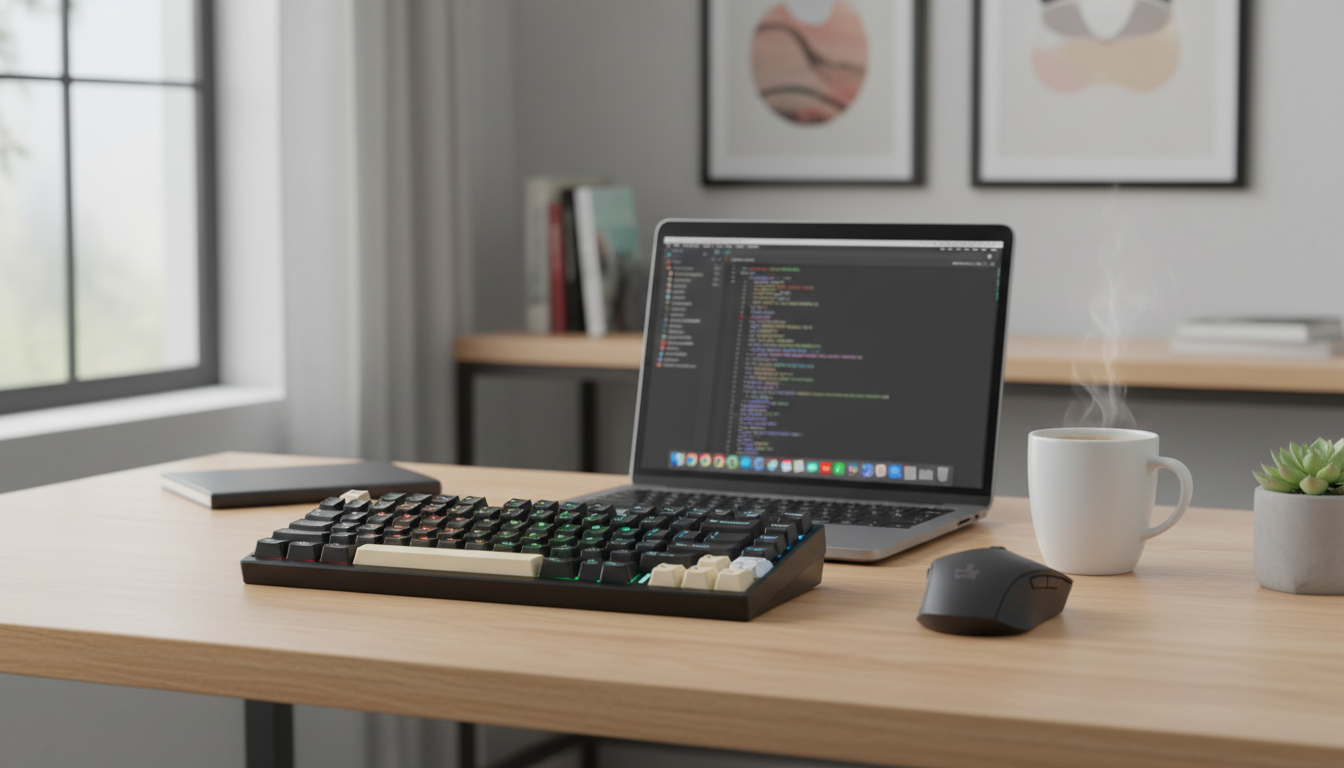
Why a 75% wireless mechanical keyboard fits modern gaming setups
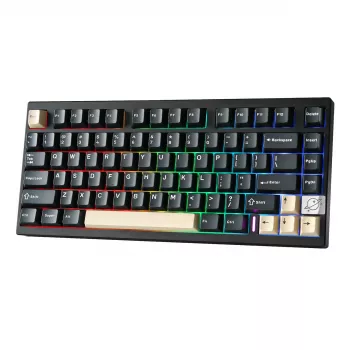
A compact 75% layout can free desk space without giving up the keys that matter for games and everyday work. The 75% Wireless Mechanical Gaming Keyboard with Hot Swap and RGB Backlightingeb for Mac/Win combines wireless convenience, hot-swap switch flexibility, and RGB lighting for a clean, customizable experience that works across Mac and Windows environments.
What the 75% layout changes (and what it keeps)
A 75% keyboard is designed to stay compact while retaining the keys most people actually use. Compared with a full-size board, it trims away the numpad and compresses spacing so your hands travel less between typing and mousing.
- Keeps the core typing area plus a function row and a navigation cluster in a tighter footprint than a full-size keyboard.
- Frees up mouse space for smoother arm movement and more room for low-sensitivity aiming on smaller desks.
- Balances compactness with usability for spreadsheets, editing, and shortcuts better than many 60% layouts.
- Works well as a single keyboard for both gaming and productivity—especially if your model supports easy switching between devices.
For many players, the 75% layout hits the “do-it-all” sweet spot: a smaller board that still feels complete when you’re using function keys, deleting text, or navigating timelines.
Wireless and wired use for Mac and Windows
Being able to go wireless is about more than aesthetics. It can simplify your workspace, help with cable routing around monitor arms, and make it easier to move the same keyboard between a desktop tower and a laptop.
- Wireless mode reduces cable clutter and makes repositioning quick when switching between devices or docking setups.
- Wired mode is ideal when charging, minimizing latency, or ensuring compatibility in restrictive environments.
- Mac/Windows friendliness often comes down to key legends, modifier placement, and whether the keyboard supports an OS toggle.
- For best results, verify how function keys and media controls behave on both systems and whether remapping is available through software or onboard shortcuts.
If you rely on universal standards, it helps to recognize the ecosystems behind them: Bluetooth devices follow specifications maintained by the Bluetooth SIG, while wired USB behavior is guided by standards from the USB Implementers Forum (USB-IF). In everyday terms, that means basic typing generally “just works” across modern Macs and Windows PCs, while optional features may vary by model.
Hot-swap switches: customization without soldering
Hot-swap sockets are one of the most practical upgrades a mechanical keyboard can offer. Instead of committing to one switch feel forever, you can swap switches in minutes with a puller—no soldering, no special tools beyond the basics.
- Hot-swap support lets you change mechanical switches easily, so the feel and sound can evolve with your preferences.
- Maintenance is simpler: if one switch starts chattering or fails, you can replace just that switch.
- Supports experimenting with linear, tactile, or clicky switches depending on whether you want smooth speed, feedback, or an audible click.
- Before buying extra switches, confirm compatibility (commonly 3-pin/5-pin MX-style) and whether any pin clipping is needed for your plate.
For gaming, linear switches are popular for fast presses, while tactile switches can help prevent accidental inputs during long sessions. For shared spaces, a quieter switch plus dampening can keep the peace without sacrificing performance.
RGB backlighting: practical visibility and personal style
RGB isn’t just for looks. On a compact board where keys are packed closer together, lighting can improve visibility and reduce mis-presses when playing in dim rooms.
- Improves key visibility in low light, particularly on tighter layouts.
- Depending on the model, per-key or zone lighting can highlight frequently used keys for games or workflow shortcuts.
- Look for brightness and speed controls, plus the ability to save profiles so settings persist after sleep or reboot.
- For Mac creative work, calmer presets and quick toggles can reduce distraction versus constant animation.
A strong RGB implementation should feel optional: easy to tailor when you want it, easy to dial back when you don’t.
Feature snapshot and buying checkpoints
Quick checklist for this 75% wireless hot-swap RGB keyboard
| Category | What to verify | Why it matters |
|---|---|---|
| Layout | 75% with function row and navigation keys | Keeps common shortcuts while saving desk space |
| Connectivity | Wireless + wired modes | Flexibility across desk setups and travel |
| Switches | Hot-swap support (MX-style compatibility) | Easy customization and simple repairs |
| Lighting | RGB modes, brightness, and profile memory | Visibility and consistent look across devices |
| Mac/Windows | Modifier behavior and OS toggles/remapping | Avoids shortcut confusion when switching platforms |
The product at a glance
- Product: 75% Wireless Mechanical Gaming Keyboard with Hot Swap and RGB Backlightingeb for Mac/Win
- Price: $183.47 (USD)
- Best for: compact gaming plus daily work on mixed Mac/Windows setups where switch swapping and lighting control matter.
- Current availability: in stock.
- Practical add-ons: switch puller, keycap puller, and a small set of spare switches for quick troubleshooting.
Other in-stock picks for a cleaner desk setup
- The No-Phone Morning Ritual Checklist (Digital Download) for a more focused start before logging on.
- Elegant Ceramic Dress Form Vase to elevate your desk or shelf styling without adding clutter.
FAQ
Is the Aula F75 a mechanical or hall keyboard?
Hall effect keyboards use magnetic sensors, while mechanical keyboards use physical switches (often MX-style). This product is a mechanical keyboard with hot-swap switch support, not a Hall effect board, though the exact included switch type depends on the specific listing details.
Do hot-swap mechanical keyboards work on Mac and Windows without extra drivers?
Yes—basic typing typically works on both Mac and Windows using standard HID behavior. Advanced lighting controls, macros, or remapping may require manufacturer software or onboard shortcut commands, and it’s worth confirming how Mac modifiers map for your workflow.













Leave a comment