-
Shop
- Adidas
- Advanced Technologies
- AI Skills
- AI Skills Mastery 2026 Collection
- Bathroom
- Best-Sellers
- Calvin Klein
- Car Accessories
- Confidence
- Dating & Social Skills
- Digital Resources
- AI & Technology
- Beauty
- Car Buying & Ownership
- Cozy Feast Collection
- Electronics & Technology
- Financial Education
- Hobbies
- Home Styling & Organization
- Kitchen & Recipes
- Mindset
- Online Business
- Parenting & Child Development
- Personal Style & Fashion
- Pet Lifestyle & Wellness
- Smart Life with AI
- Travel Planning
- Wellness
- Yoga & Fitness
- Education & Learning
- Family & Parenting
- Fashion
- Alexander McQueen
- Bags
- Bags & Wallets
- Balenciaga
- Belts
- Blazers
- Blouses & Shirts
- Bottega Veneta
- Brunello Cucinelli
- Burberry
- Chanel
- Chloé
- Dior
- Dolce & Gabbana
- Dresses
- Etro
- Fendi
- Gucci
- Hats & Hair Accessories
- Jacquemus
- Jewelry
- Jil Sander
- Keychains
- Kiton
- Luggage
- Luggage Bags
- Miu Miu
- Off-White
- Outerwear
- Prada
- Rick Owens
- Saint Laurent
- Scarves
- Shoes
- Socks & Tights
- Sunglasses
- The Row
- Tom Ford
- Valentino
- Valentino Garavani
- Versace
- Vivienne Westwood
- Watches
- Fashion Accessories
- Furniture
- Gadgets
- Health & Beauty
- Health & Wellness
- Home & Garden
- Home Decor
- Home Electronics
- Home Supplies
- Kids & Babies
- Kitchen
- Kitchen Best-Sellers
- Lighting
- Online Business for Beginners
- Patio, Lawn & Garden
- Personal Growth
- Pet Care
- Pet Supplies
- Pets
- Smart Amazon Shopping
- Smart Home Living Guides
- Sport & Outdoors
- Stress Relief & Relaxation
- Super Deals
- TikTok Growth & Monetization Mastery
- Travel
- Travel & Adventure
- Wealth
- Wealth Building
- Budgeting & Saving
- Cryptocurrency Investing
- Debt Management
- Entrepreneurship & Business Growth
- Family Finance & Budgeting
- Financial Independence
- Financial Mindset & Psychology
- Financial Planning
- Frugal Living & Expense Hacks
- Goal Setting
- High-Income Skills
- Investing Basics
- Leadership
- Motivation
- Networking & Mentorship
- Passive Income Strategies
- Real Estate Investing
- Side Hustles
- Stock Market Investing
- Popular
- Best deals
- Blog
Best Gaming Mouse Hz: 1000 vs 2000–8000 Polling
How many Hz should a gaming mouse be?
A good gaming mouse polling rate is usually 1,000 Hz for most players, with 2,000–4,000 Hz offering smaller latency gains for competitive setups, and 8,000 Hz reserved for specific high-end scenarios. “Hz” here means how often the mouse reports its position to your PC each second: 1,000 Hz equals 1,000 updates per second (about a 1 ms interval), while 8,000 Hz drops that interval to about 0.125 ms.
Why 1,000 Hz is the practical baseline
At 1,000 Hz, cursor updates are already very frequent, and the improvement from jumping higher can be subtle unless the rest of the system is tuned for it. Many esports mice default to 1,000 Hz because it balances responsiveness with broad compatibility and stable performance across games.
When 2,000–4,000 Hz can make sense
If you play fast-twitch shooters, run a high-refresh monitor (240 Hz or higher), and keep frame rates consistently high, 2,000–4,000 Hz can shave a little input delay and reduce “stepping” in very fast flicks. The difference is typically more noticeable to highly sensitive players, especially with clean sensor performance and low-latency wireless tech.
Who should consider 8,000 Hz
8,000 Hz is most worthwhile if your PC is strong, your game runs at high FPS with low frame-time spikes, and your mouse/receiver and drivers are designed for it. In some setups, 8,000 Hz can increase CPU overhead or reveal stutter if the system can’t keep up, so it’s smart to test it per game and drop back to 4,000 or 1,000 Hz if anything feels inconsistent.
Quick recommendation
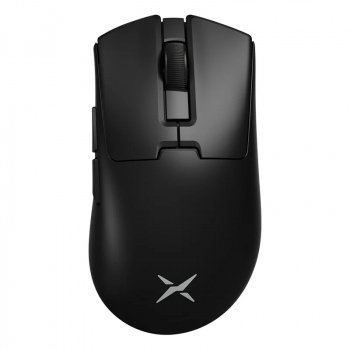
Start at 1,000 Hz. Move to 2,000–4,000 Hz if your system is high-refresh/high-FPS and everything remains smooth. Use 8,000 Hz only if it measurably improves feel without adding instability. For deeper guidance on ultra-light, high polling rate mice, see this 8KHz wireless gaming mouse guide.
FAQ
Does a higher polling rate use more CPU?
Yes, higher polling rates can increase CPU interrupt and processing overhead, especially at 4,000–8,000 Hz. On modern CPUs it’s often manageable, but if you notice stutter or uneven frame times, lowering the polling rate can help.














Leave a comment